1. Écran 1 — Accueil « Mes journaux »
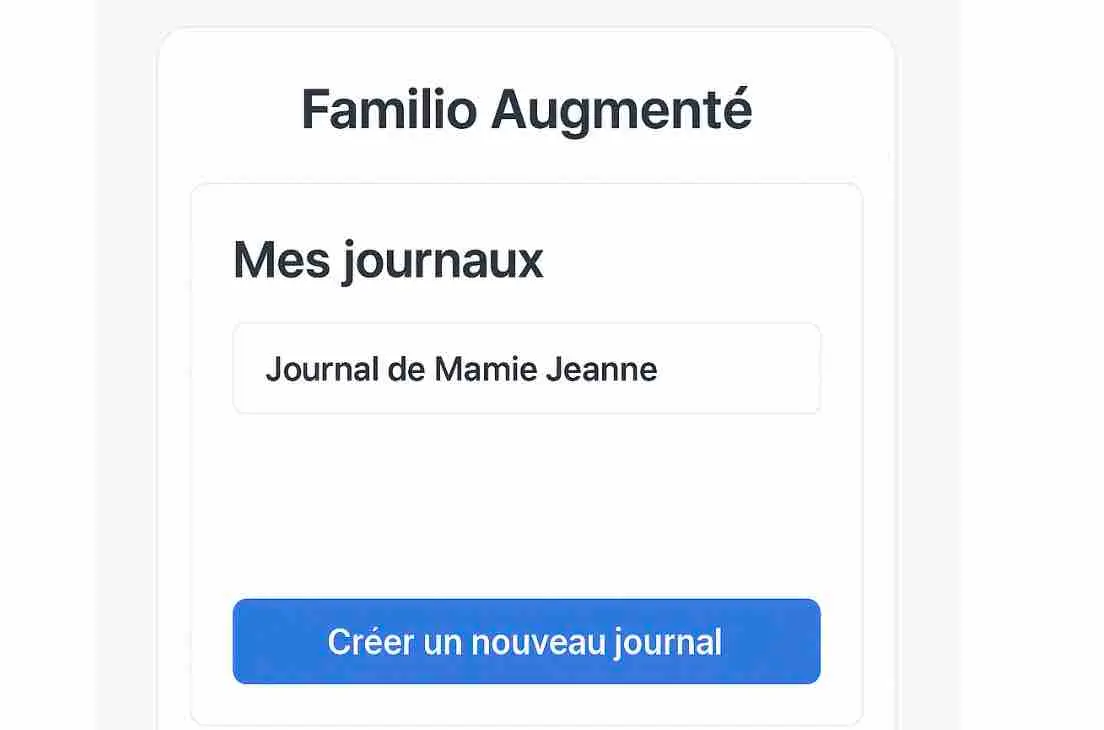
1. Écran 1 — Accueil « Mes journaux »
Nom recommandé : JournalListScreen
Rôle
- Liste des journaux existants (ex. “Journal de Mamie Jeanne”)
- Bouton “Créer un nouveau journal”
Fonctions
- Créer / ouvrir un journal
- Accès rapide au dernier numéro
Peux-tu me générer le code REACJS pour cette page ? Merci.
// src/screens/JournalListScreen.tsx
import React from "react";

type Journal = {
  id: string;
  title: string;
};

export default function JournalListScreen({
  journals = [{ id: "1", title: "Journal de Mamie Jeanne" }],
  onCreate,
  onOpen,
}: {
  journals?: Journal[];
  onCreate?: () => void;
  onOpen?: (journalId: string) => void;
}) {
  return (
    <div className="min-h-screen bg-slate-50 flex items-center justify-center p-6">
      {/* Outer card */}
      <div className="w-full max-w-md rounded-3xl border border-slate-200 bg-white/70 backdrop-blur p-8 shadow-sm">
        <header className="text-center">
          <h1 className="text-4xl font-extrabold tracking-tight text-slate-900">
            Familio Augmenté
          </h1>
        </header>

        {/* Inner panel */}
        <section className="mt-8 rounded-3xl border border-slate-200 bg-white p-8">
          <h2 className="text-3xl font-bold text-slate-900">Mes journaux</h2>

          <div className="mt-6 space-y-3">
            {journals.map((j) => (
              <button
                key={j.id}
                type="button"
                onClick={() => onOpen?.(j.id)}
                className="w-full rounded-2xl border border-slate-200 bg-white px-6 py-5 text-left text-xl font-medium text-slate-900 shadow-sm transition hover:bg-slate-50 focus:outline-none focus:ring-4 focus:ring-slate-200"
              >
                {j.title}
              </button>
            ))}

            {journals.length === 0 && (
              <div className="rounded-2xl border border-dashed border-slate-300 bg-slate-50 p-6 text-slate-600">
                Aucun journal pour le moment.
              </div>
            )}
          </div>

          <div className="mt-10">
            <button
              type="button"
              onClick={onCreate}
              className="w-full rounded-2xl bg-blue-600 px-6 py-5 text-xl font-semibold text-white shadow-sm transition hover:bg-blue-700 focus:outline-none focus:ring-4 focus:ring-blue-200"
            >
              Créer un nouveau journal
            </button>
          </div>
        </section>
      </div>
    </div>
  );
}